
InfiniteImaginationDirected by Claude.
Create and deploy your own AI characters in films, ads, and social.
Build your AI avatar.
One face, locked. A talking UGC take and a full pose library — the same person in every shot.
UGC Video Ready
Same character, talking


Bring it to life in storyboard
Add VFX to your
boring images.
$1,000 AND A WEEK.
OR $50 AND AN AFTERNOON.
 Studio
Product
Character
This cream actually smoothed my skin in 2 weeks 🤍
#skincare #collagen #glowup
UGC-style product videos.
Without hiring creators.
"Okay, I need to talk about this. The kréme Collagen Smoothing Cream completely changed my skin. Two weeks in, and it's the smoothest it's ever been."
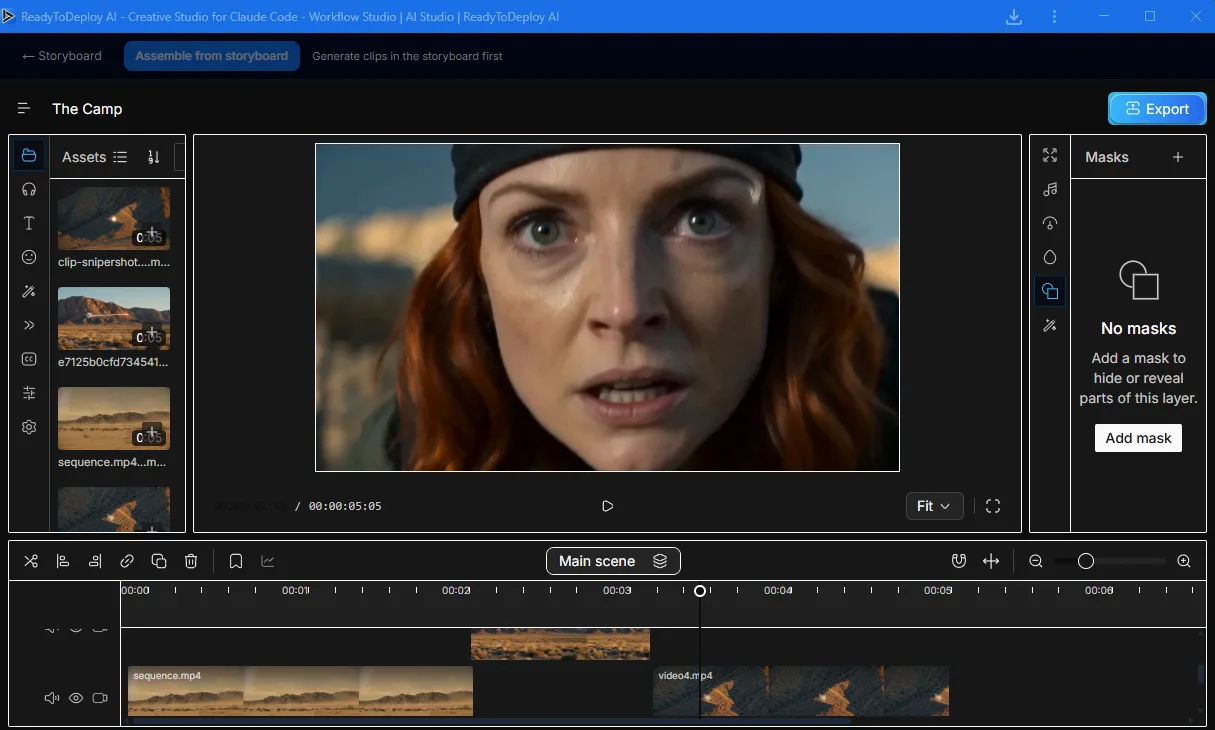
Cut it like a pro. Post it everywhere.
The full timeline editor is built right into the studio. No extra app, no extra cost.


Studio-grade video, made in Claude Code
Your Claude animates your real brand assets — frame by frame — into a finished, narrated video. Manim for maps and explainers, Playwright for brand reels. Rendered locally, $0, yours to keep.
Give your agent the keys to the studio.
It scripts the shoot
Plans the shot list, previews stills at about 1 credit each, and holds the spend until you approve the cut. No credits burned on a take you kill.
It renders the frame
Routes every prompt to the right model out of 20+, stills through finished clips, picking the one that fits the shot instead of the one you remembered.
It holds continuity
Lock a character and a brand voice once. Both stay consistent across every frame and every caption, no re-prompting the look each time.
It ships the cut
Schedules to popular platforms, each post formatted and timed for its platform. You close the laptop; it posts on cue.
It scripts the shoot
Plans the shot list, previews stills at about 1 credit each, and holds the spend until you approve the cut. No credits burned on a take you kill.
It renders the frame
Routes every prompt to the right model out of 20+, stills through finished clips, picking the one that fits the shot instead of the one you remembered.
It holds continuity
Lock a character and a brand voice once. Both stay consistent across every frame and every caption, no re-prompting the look each time.
It ships the cut
Schedules to popular platforms, each post formatted and timed for its platform. You close the laptop; it posts on cue.
❯Run Claude Code already? Two commands and your agent reports for duty.
1. Add the MCP server
claude mcp add readytodeploy --transport http "https://readytodeploy.ai/mcp/<YOUR_API_KEY>"
2. Install the creative-agent skills
curl -fsSL https://readytodeploy.ai/skills/install.sh | bash
/imagine
/imagine a cinematic scene...
/imagine a stunning visual...
/imagine a stunning visual...
/imagine a cinematic scene...
/imagine a stunning visual...
/imagine a stunning visual...
/imagine a cinematic scene...
/imagine a stunning visual...
/imagine a stunning visual...
/imagine a cinematic scene...
/imagine a stunning visual...
/imagine a stunning visual...
Get the desktop app.
On iPhone, use Share then Add to Home Screen.